City show
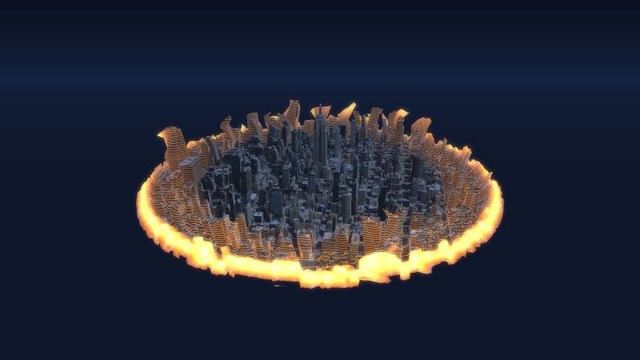
One material on the Manhattan 3D tiles, driven by layer values. The vertex stage raises the city behind a ring, the city goes to night with lit windows, and a rising line of light brings back the day, with thin slices of the buildings moved sideways near the line. Use the time slider to move through it.
Paint swap
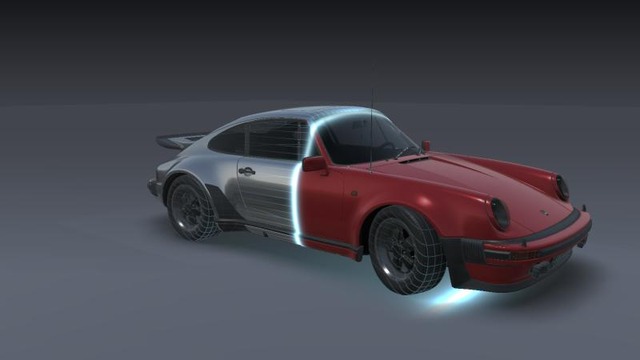
A glowing line moves along the car and changes colour, metallic and roughness of the paint behind it. Only the paint material is tagged, so glass, tyres and chrome stay as they are.
Cursor lens
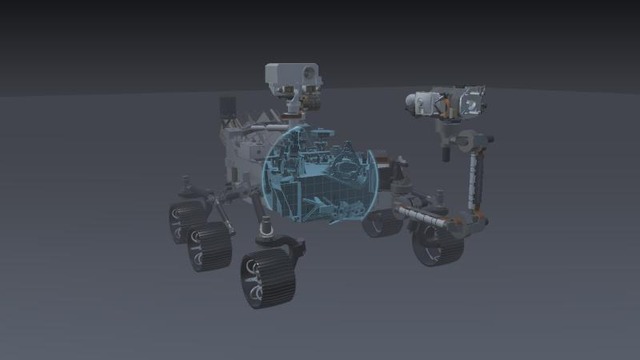
Move the mouse over the rover: inside a circle around the pointer the material shows an x-ray look, with a glow at the outline, lines at sharp edges and a 10 cm grid. The slider sets the size of the circle.
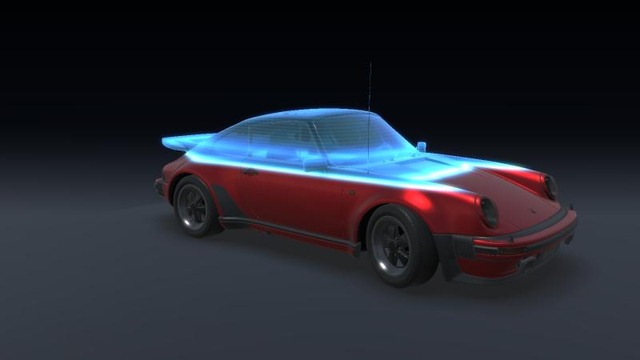
Hologram reveal
The car is shown as a hologram with scan lines, a light band moving up and a glow at its outline. Move the slider to raise the line that leaves the real car behind it, or press Glitch.
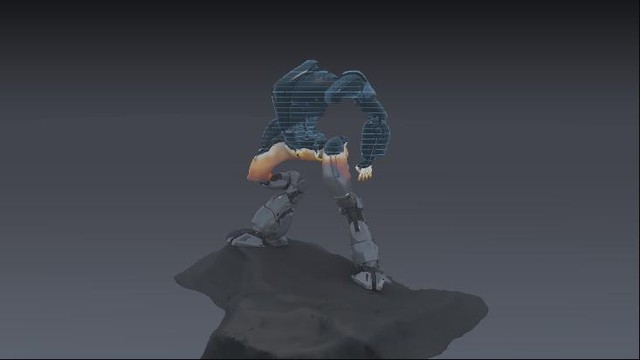
Forge
The mech is built from the bottom up: above the level it is a blue outline, at the level the surface glows like hot metal and cools to its own colours. Lower the slider to burn it away again.
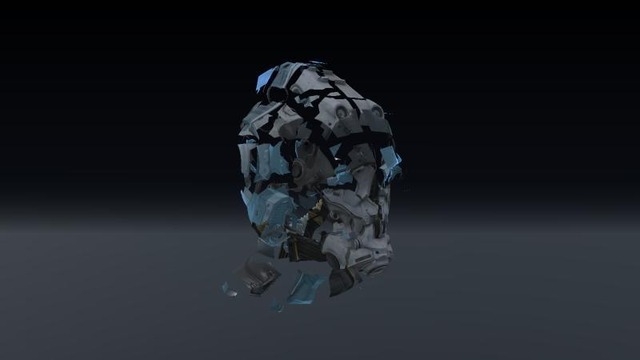
Shatter
The vertex stage cuts the helmet into cubes. Move the slider to pull the cubes apart; each cube flies out from the centre and turns about its own centre. Explode does it in one go.
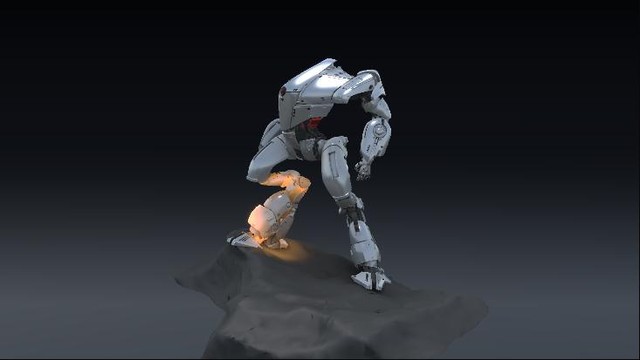
Jelly
Click the mech to hit it at that point. mMap reports the 3D point and surface direction under the mouse; the vertex stage dents the surface there, sends a glowing ripple out from the point, and sways the mech away from the side that was hit. It all dies away with the time since the hit.
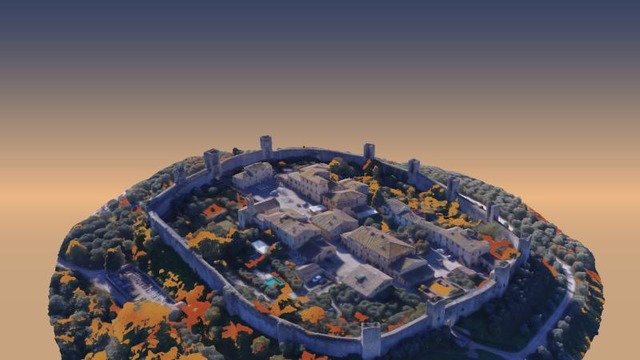
Four seasons
One material changes the season of a scanned village. Plants are found by their green colour: spring makes them a fresh green with blossom on some trees, autumn turns them orange and red, and winter makes them bare and puts snow on surfaces that face up. Night darkens any season to moonlight.
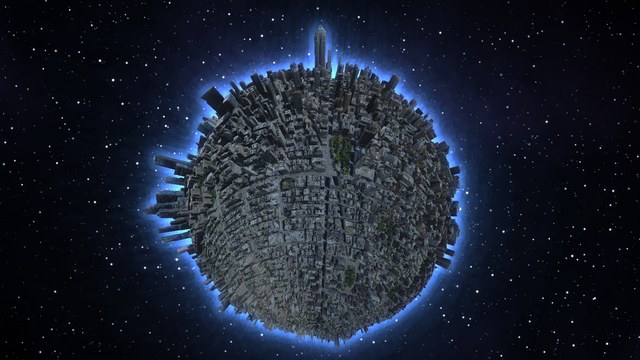
Tiny planet
The vertex stage wraps the Manhattan 3D tiles around a sphere below the Empire State Building.
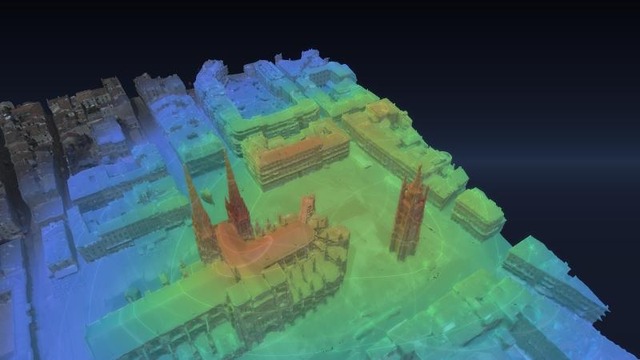
Radio coverage
Four antenna positions and strengths are layer values. The material sums the signal from each antenna, colours the city from blue (weak) to red (strong) with a contour line at each step, and sends rings out from each antenna. Click the city to place the next antenna there, or switch antennas on and off.
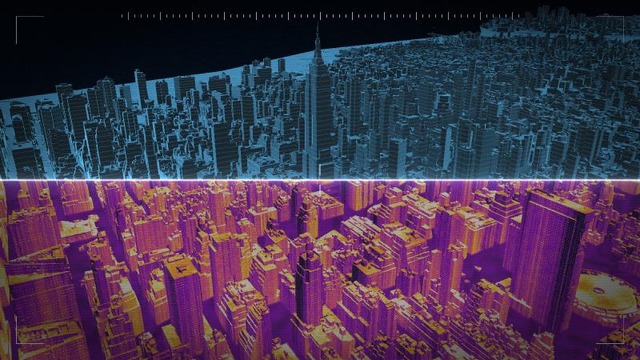
View modes
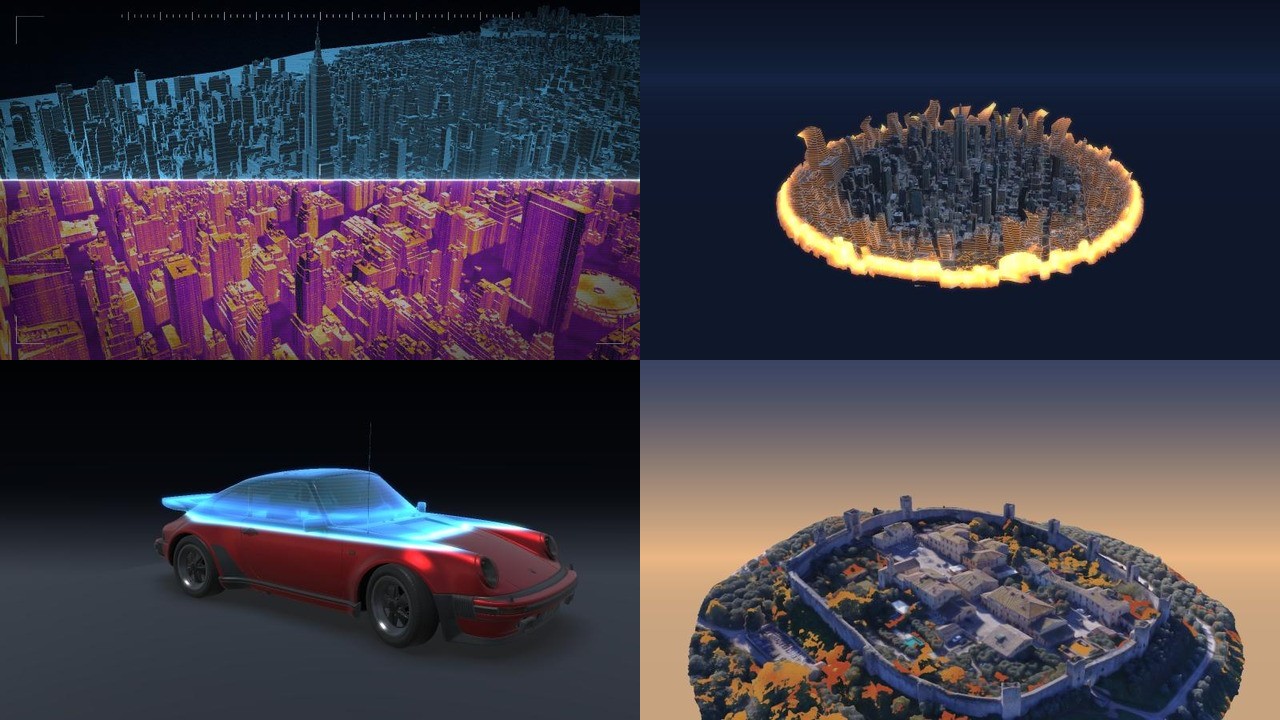
One material on the Manhattan 3D tiles with three looks: the photo, a thermal camera view and an x-ray view. A wipe moves over the screen and switches the look; a post-process node draws the sky, scanlines, grain and camera marks for each look. Drag to pan, right-drag to turn, scroll or pinch to zoom.
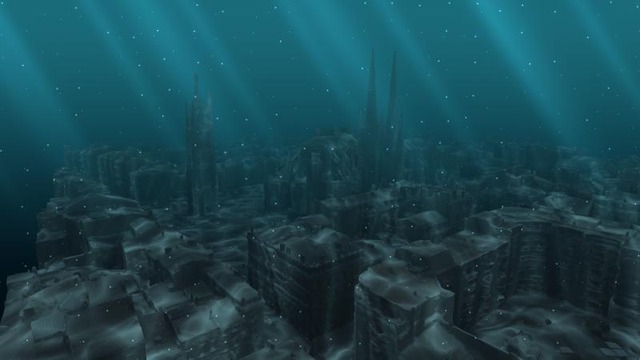
Sunken city
Bordeaux under water. The tiles material darkens colours with depth and adds moving caustics on surfaces that face up; a post-process node adds blue-green haze by distance, light shafts and drifting specks.
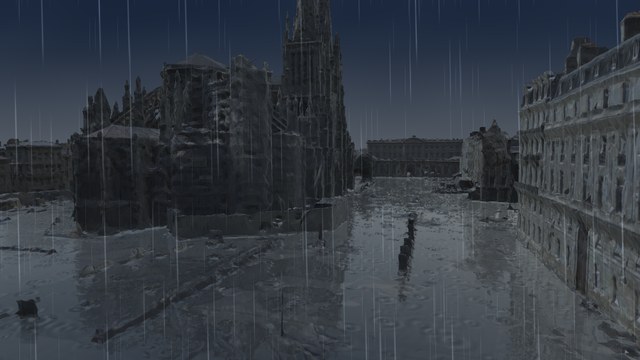
Rain storm
Bordeaux in a rain storm. The tiles material makes surfaces darker and smoother as they get wet, grows puddles on flat ground, makes rings where drops hit the puddles and runs water down the walls. Screen space reflections show the buildings in the puddles, best from a low camera. A post-process node adds clouds, rain streaks and lightning.
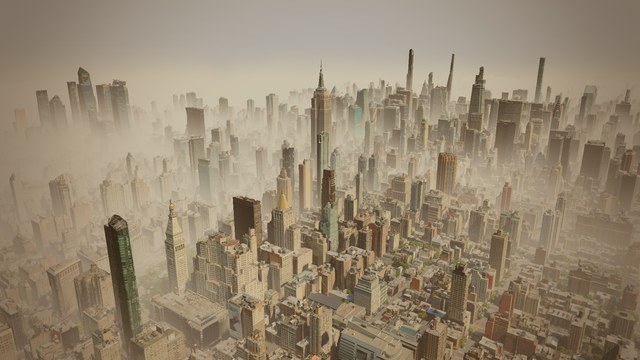
Morning fog
Three post-process nodes in a filter graph. The fog is thickest near the ground, thins out with height and drifts in patches; a colour grade and a vignette finish the look.